Displaying best before dates on invoices
You can choose to include best before dates, batch numbers, and container codes/packaging IDs on invoices by heading to Settings->Order/invoice settings. Here, there is a checkbox option to Show the containers and batches delivered on invoices and delivery notes. by selecting this, further checkbox settings options will be presented.
-
Include each container's code or non-returnable number and each smallpack's Packaging ID.
-
Include each container's batch number.
-
Include each container and batch's best before date.
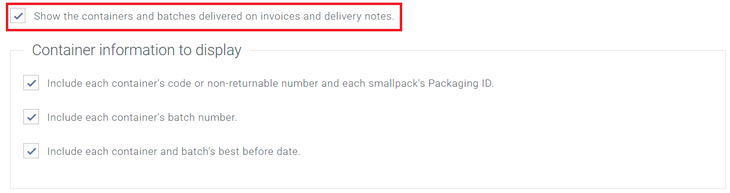
You can configure this to present the information you need by selecting the relevant checkboxes and selecting
Save. Next time you raise an order, assign stock, and invoice the order, the invoice will include the information you have set here.
Displaying best before dates on delivery manifests
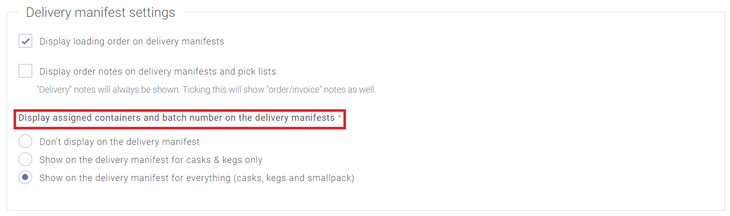
You can also choose to display best before dates on your delivery manifests; you can do this in Settings->Delivery settings->Delivery label/document settings and amending the Delivery manifest settings for Display assigned containers and batch number on the delivery manifests to either "Show on the delivery manifest for casks & kegs only" or "Show on the delivery manifest for everything (casks, kegs and smallpack)" depending on your preference.