Moving vessels between sites
If you have multiple sites set up in Breww, you may occasionally need to move bulk beer or ingredient batches that are still in a vessel between them. Breww allows you to record these movements, keeping your vessel locations accurate across all sites and tracking any excise duty impacts.
Creating a vessel move
You can start a move from:
-
The Production dashboard
-
Directly from a beer batch by selecting Actions -> Move transportation vessels
-
Directly from a yeast/ingredient batch by selecting Actions -> Move transportation vessels
This will show you all the vessels that can be moved between sites.
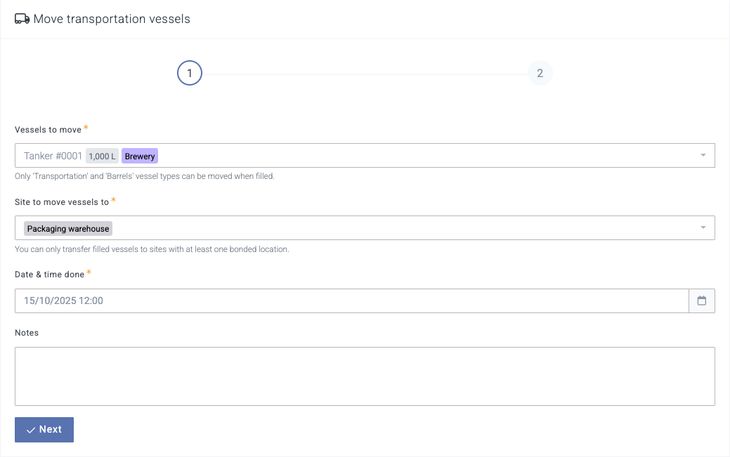
Vessels can be moved between sites regardless of whether they are full or empty, but only vessels with a type of Transportation vessel, Barrel, or Yeast brink can be moved. You can also select as many vessels as required, if, for example, you have moved multiple barrels at once to a new warehouse.
Once you've selected the vessel, you'll be asked to confirm the Site to move vessels to and the Date & time done of the move. You can only move between sites that have at least one bonded location within them.