
Invoicing an order
Invoicing an order in Breww can either be done for you by Breww automatically (which we highly recommend) or manually on each order.
Invoicing automatically
The most common method of invoicing orders in Breww is automatically. Automatic invoicing in Breww is centred around delivery, and there are two possible options. They are found in Settings -> Deliveries -> Delivery options & defaults:
-
Automatically invoice orders when their delivery is dispatched
-
Automatically invoice orders when their delivery is completed
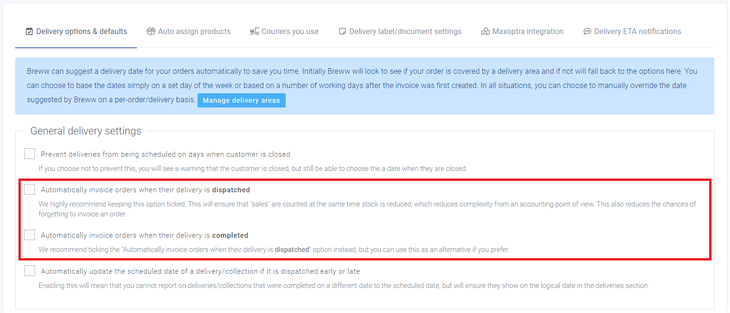
We highly recommend using Automatically invoice orders when their delivery is dispatched, which is on by default. The option to automatically invoice orders when their delivery is completed will only appear if the dispatch option is disabled.

These settings will apply to all orders in Breww, but it is possible based on your integration configuration, for some e-commerce orders to arrive in Breww already invoiced and POS orders will be invoiced by default.
Invoicing manually
It is possible to manually invoice any order once it has been confirmed by opening the order and selecting Order actions -> invoice order.

Further invoice settings
Invoicing an order can trigger several other things in Breww depending on your settings, such as invoices to be uploaded to accountancy platforms, Invoice issue dates to be changed (impacting invoice due dates), and automatic invoice emails to be sent to customers. These specific settings are covered in greater detail in the following guides: