
Delete/obsolete products
In Breww, you can remove products in two separate ways; deleting and obsoleting. Please see below for what the two processes entail.
Deleting a product
In Breww, it is possible to delete a product that hasn't been "used" yet. In order to delete a product:
-
It must have never had any stock manually added or been racked from a batch
-
It must have never been added to an order/invoice
-
It must have never been added to a credit note
To delete a product, head to Products ->
[Find the product]-> Actions -> Delete.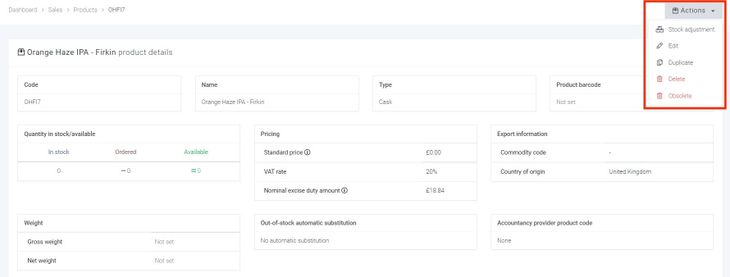

Making a product obsolete
If a product cannot be deleted, you can instead mark it as obsolete. This will stop the product from showing in your products tab or being added to an invoice.
If you need to view your obsolete products, go to the Products dashboard and remove the default BrewwQL filter, which hides them by default.
This will give the ability to click into the product and reactivate it if required. This can be done by clicking Actions -> Re-activate (un-obsolete).
